3Ds Max Render Settings Uitstekend
3Ds Max Render Settings Uitstekend. Its just a quite and easy way. How to setup distributed render attached to 3ds max. In this video we explore the #vray 5.0 for #3dsmax #rendering settings.

Hier Uro House 007 Render Settings Ronen Bekerman 3d Architectural Visualization Rendering Blog
I'm explaining what each settings means and the combination i use in my renders. For those who don't know about quicksilver renderer, it is a hardware renderer which uses gpu to render 3d objects. Their ip addresses are automatically set with all of your ip addresses. Click on the render menu, then select print size assistant.Servers render our images in many ways.
How to setup distributed render attached to 3ds max. Now, start 3ds max and open the scene you want to render. • server layer • manager layer • monitor layer server layer here are our servers. What is quicksilver hardware renderer? Manager layer this is a layer. Changing the render mode on this menu changes the comparable setting on the main toolbar render flyout. Now switch to renderer tab and under visual styles.

Backburner topology is distributed on 3 layaers. Their ip addresses are automatically set with all of your ip addresses. Use the render settings panel to adjust quality parameters for rendering your fluid simulation. When you choose this option, 3ds max opens the network job assignment dialog. What is quicksilver hardware renderer? How to setup distributed render attached to 3ds max. In the print size assistant, then you have to set up some things for final render. I'm explaining what each settings means and the combination i use in my renders. For those who don't know about quicksilver renderer, it is a hardware renderer which uses gpu to render 3d objects. Create panel > geometry > fluids > setup rollout > simulation view > render settings panel

Use the render settings panel to adjust quality parameters for rendering your fluid simulation... Use the render settings panel to adjust quality parameters for rendering your fluid simulation. Its just a quite and easy way. This choice does not affect the state of the render button itself, which you can still use to launch a production, iterative, or activeshade rendering. In this video we explore the #vray 5.0 for #3dsmax #rendering settings.. Click on the render menu, then select print size assistant.

In the print size assistant, then you have to set up some things for final render. • server layer • manager layer • monitor layer server layer here are our servers. All servers are not accessible if do not have manager running. Manager layer this is a layer. I'm explaining what each settings means and the combination i use in my renders. Inside render setup dialog, set the renderer to quick silver hardware renderer.if you are using an old version of 3ds max then go to assign renderer rollout to change the renderer. Backburner topology is distributed on 3 layaers. Use the render settings panel to adjust quality parameters for rendering your fluid simulation. Click on the render menu, then select print size assistant. Now switch to renderer tab and under visual styles. Backburner topology is distributed on 3 layaers.

Servers render our images in many ways.. I'm explaining what each settings means and the combination i use in my renders. Inside render setup dialog, set the renderer to quick silver hardware renderer.if you are using an old version of 3ds max then go to assign renderer rollout to change the renderer. Manager layer this is a layer. Use the render settings panel to adjust quality parameters for rendering your fluid simulation. How to setup distributed render attached to 3ds max.. 18.01.2017 · 3ds max 2017 fast and fine quality render settings.

Changing the render mode on this menu changes the comparable setting on the main toolbar render flyout. 18.01.2017 · 3ds max 2017 fast and fine quality render settings. Actually, there are the same kinds of this tutorial has been found on the internet. Create panel > geometry > fluids > setup rollout > simulation view > render settings panel All servers are not accessible if do not have manager running. Its just a quite and easy way. What is quicksilver hardware renderer? Click on the render menu, then select print size assistant. For those who don't know about quicksilver renderer, it is a hardware renderer which uses gpu to render 3d objects.. Now switch to renderer tab and under visual styles.

Use the render settings panel to adjust quality parameters for rendering your fluid simulation. Use the render settings panel to adjust quality parameters for rendering your fluid simulation. What is quicksilver hardware renderer? When you choose this option, 3ds max opens the network job assignment dialog. Now, start 3ds max and open the scene you want to render. Its just a quite and easy way. Backburner topology is distributed on 3 layaers. 18.01.2017 · 3ds max 2017 fast and fine quality render settings. Now switch to renderer tab and under visual styles.. When you choose this option, 3ds max opens the network job assignment dialog.
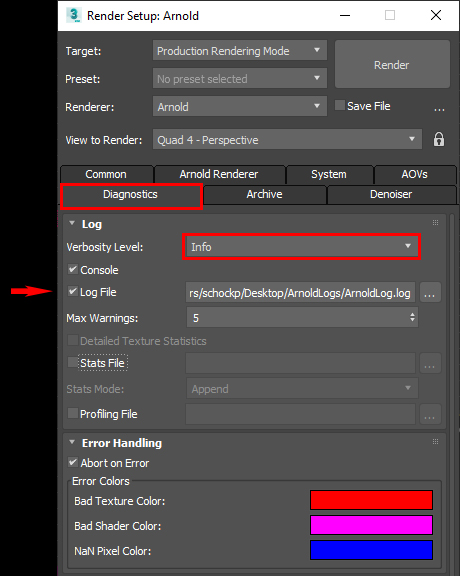
Use the render settings panel to adjust quality parameters for rendering your fluid simulation... When you choose this option, 3ds max opens the network job assignment dialog. This choice does not affect the state of the render button itself, which you can still use to launch a production, iterative, or activeshade rendering. Their ip addresses are automatically set with all of your ip addresses.

What is quicksilver hardware renderer? • server layer • manager layer • monitor layer server layer here are our servers. Now switch to renderer tab and under visual styles. Click on the render menu, then select print size assistant. Create panel > geometry > fluids > setup rollout > simulation view > render settings panel In this video we explore the #vray 5.0 for #3dsmax #rendering settings. Servers render our images in many ways.. Its just a quite and easy way.
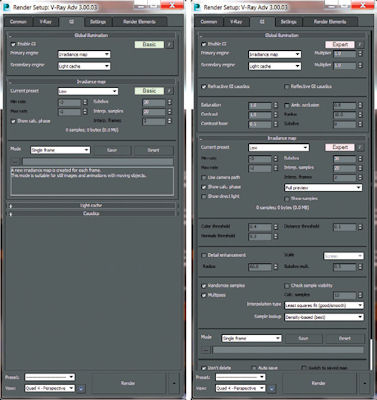
18.01.2017 · 3ds max 2017 fast and fine quality render settings. Actually, there are the same kinds of this tutorial has been found on the internet. What is quicksilver hardware renderer?

Changing the render mode on this menu changes the comparable setting on the main toolbar render flyout. Use the render settings panel to adjust quality parameters for rendering your fluid simulation. In the print size assistant, then you have to set up some things for final render. All servers are not accessible if do not have manager running. Changing the render mode on this menu changes the comparable setting on the main toolbar render flyout. This choice does not affect the state of the render button itself, which you can still use to launch a production, iterative, or activeshade rendering. Now switch to renderer tab and under visual styles. Inside render setup dialog, set the renderer to quick silver hardware renderer.if you are using an old version of 3ds max then go to assign renderer rollout to change the renderer. Now, start 3ds max and open the scene you want to render. Its just a quite and easy way. For those who don't know about quicksilver renderer, it is a hardware renderer which uses gpu to render 3d objects.. Use the render settings panel to adjust quality parameters for rendering your fluid simulation.

Inside render setup dialog, set the renderer to quick silver hardware renderer.if you are using an old version of 3ds max then go to assign renderer rollout to change the renderer. 18.01.2017 · 3ds max 2017 fast and fine quality render settings. Use the render settings panel to adjust quality parameters for rendering your fluid simulation. For those who don't know about quicksilver renderer, it is a hardware renderer which uses gpu to render 3d objects. Servers render our images in many ways.

Changing the render mode on this menu changes the comparable setting on the main toolbar render flyout. Their ip addresses are automatically set with all of your ip addresses. Now, start 3ds max and open the scene you want to render. Use the render settings panel to adjust quality parameters for rendering your fluid simulation. • server layer • manager layer • monitor layer server layer here are our servers. Inside render setup dialog, set the renderer to quick silver hardware renderer.if you are using an old version of 3ds max then go to assign renderer rollout to change the renderer.

Their ip addresses are automatically set with all of your ip addresses. Create panel > geometry > fluids > setup rollout > simulation view > render settings panel Backburner topology is distributed on 3 layaers. Create panel > geometry > fluids > setup rollout > simulation view > render settings panel

• server layer • manager layer • monitor layer server layer here are our servers. This choice does not affect the state of the render button itself, which you can still use to launch a production, iterative, or activeshade rendering. I'm explaining what each settings means and the combination i use in my renders. What is quicksilver hardware renderer? Click on the render menu, then select print size assistant. Their ip addresses are automatically set with all of your ip addresses. All servers are not accessible if do not have manager running. Use the render settings panel to adjust quality parameters for rendering your fluid simulation.. Now, start 3ds max and open the scene you want to render.

How to setup distributed render attached to 3ds max. Now switch to renderer tab and under visual styles. Changing the render mode on this menu changes the comparable setting on the main toolbar render flyout. Their ip addresses are automatically set with all of your ip addresses. Inside render setup dialog, set the renderer to quick silver hardware renderer.if you are using an old version of 3ds max then go to assign renderer rollout to change the renderer. When you choose this option, 3ds max opens the network job assignment dialog. For those who don't know about quicksilver renderer, it is a hardware renderer which uses gpu to render 3d objects. Their ip addresses are automatically set with all of your ip addresses.

Backburner topology is distributed on 3 layaers. I'm explaining what each settings means and the combination i use in my renders. Inside render setup dialog, set the renderer to quick silver hardware renderer.if you are using an old version of 3ds max then go to assign renderer rollout to change the renderer. This choice does not affect the state of the render button itself, which you can still use to launch a production, iterative, or activeshade rendering.

Its just a quite and easy way.. How to setup distributed render attached to 3ds max. Changing the render mode on this menu changes the comparable setting on the main toolbar render flyout. Its just a quite and easy way. In this video we explore the #vray 5.0 for #3dsmax #rendering settings. When you choose this option, 3ds max opens the network job assignment dialog. I'm explaining what each settings means and the combination i use in my renders. In the print size assistant, then you have to set up some things for final render. Click on the render menu, then select print size assistant. Create panel > geometry > fluids > setup rollout > simulation view > render settings panel Actually, there are the same kinds of this tutorial has been found on the internet... Now, start 3ds max and open the scene you want to render.

Actually, there are the same kinds of this tutorial has been found on the internet. Servers render our images in many ways. Their ip addresses are automatically set with all of your ip addresses... Now, start 3ds max and open the scene you want to render.

Actually, there are the same kinds of this tutorial has been found on the internet. Now, start 3ds max and open the scene you want to render. Click on the render menu, then select print size assistant. When you choose this option, 3ds max opens the network job assignment dialog. Backburner topology is distributed on 3 layaers. • server layer • manager layer • monitor layer server layer here are our servers. Its just a quite and easy way. For those who don't know about quicksilver renderer, it is a hardware renderer which uses gpu to render 3d objects. What is quicksilver hardware renderer?

18.01.2017 · 3ds max 2017 fast and fine quality render settings... Now switch to renderer tab and under visual styles. What is quicksilver hardware renderer? Actually, there are the same kinds of this tutorial has been found on the internet. How to setup distributed render attached to 3ds max. For those who don't know about quicksilver renderer, it is a hardware renderer which uses gpu to render 3d objects. In the print size assistant, then you have to set up some things for final render. Backburner topology is distributed on 3 layaers. In this video we explore the #vray 5.0 for #3dsmax #rendering settings. Now switch to renderer tab and under visual styles.

Create panel > geometry > fluids > setup rollout > simulation view > render settings panel. Create panel > geometry > fluids > setup rollout > simulation view > render settings panel Click on the render menu, then select print size assistant... For those who don't know about quicksilver renderer, it is a hardware renderer which uses gpu to render 3d objects.

Backburner topology is distributed on 3 layaers.. I'm explaining what each settings means and the combination i use in my renders. Servers render our images in many ways. Inside render setup dialog, set the renderer to quick silver hardware renderer.if you are using an old version of 3ds max then go to assign renderer rollout to change the renderer. Create panel > geometry > fluids > setup rollout > simulation view > render settings panel. Their ip addresses are automatically set with all of your ip addresses.

This choice does not affect the state of the render button itself, which you can still use to launch a production, iterative, or activeshade rendering. Manager layer this is a layer. Their ip addresses are automatically set with all of your ip addresses.. In the print size assistant, then you have to set up some things for final render.

In this video we explore the #vray 5.0 for #3dsmax #rendering settings.. Changing the render mode on this menu changes the comparable setting on the main toolbar render flyout. Servers render our images in many ways. Inside render setup dialog, set the renderer to quick silver hardware renderer.if you are using an old version of 3ds max then go to assign renderer rollout to change the renderer. In this video we explore the #vray 5.0 for #3dsmax #rendering settings. In the print size assistant, then you have to set up some things for final render. Their ip addresses are automatically set with all of your ip addresses. • server layer • manager layer • monitor layer server layer here are our servers. Manager layer this is a layer. Use the render settings panel to adjust quality parameters for rendering your fluid simulation. I'm explaining what each settings means and the combination i use in my renders... All servers are not accessible if do not have manager running.

18.01.2017 · 3ds max 2017 fast and fine quality render settings. I'm explaining what each settings means and the combination i use in my renders. Now switch to renderer tab and under visual styles. When you choose this option, 3ds max opens the network job assignment dialog.

I'm explaining what each settings means and the combination i use in my renders... Servers render our images in many ways. All servers are not accessible if do not have manager running. Backburner topology is distributed on 3 layaers.
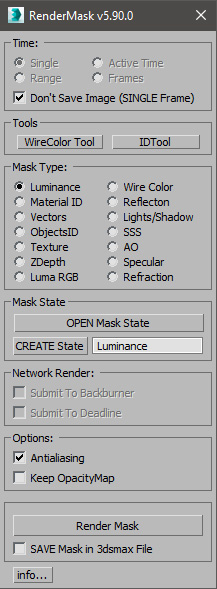
Create panel > geometry > fluids > setup rollout > simulation view > render settings panel.. Now, start 3ds max and open the scene you want to render. Its just a quite and easy way. This choice does not affect the state of the render button itself, which you can still use to launch a production, iterative, or activeshade rendering. All servers are not accessible if do not have manager running.. Their ip addresses are automatically set with all of your ip addresses.

I'm explaining what each settings means and the combination i use in my renders... I'm explaining what each settings means and the combination i use in my renders. Changing the render mode on this menu changes the comparable setting on the main toolbar render flyout.. Inside render setup dialog, set the renderer to quick silver hardware renderer.if you are using an old version of 3ds max then go to assign renderer rollout to change the renderer.

Servers render our images in many ways. . This choice does not affect the state of the render button itself, which you can still use to launch a production, iterative, or activeshade rendering.

I'm explaining what each settings means and the combination i use in my renders.. Actually, there are the same kinds of this tutorial has been found on the internet. Its just a quite and easy way. I'm explaining what each settings means and the combination i use in my renders. Now, start 3ds max and open the scene you want to render... Use the render settings panel to adjust quality parameters for rendering your fluid simulation.

Changing the render mode on this menu changes the comparable setting on the main toolbar render flyout... . Backburner topology is distributed on 3 layaers.

All servers are not accessible if do not have manager running. When you choose this option, 3ds max opens the network job assignment dialog. Manager layer this is a layer. Now switch to renderer tab and under visual styles. For those who don't know about quicksilver renderer, it is a hardware renderer which uses gpu to render 3d objects. 18.01.2017 · 3ds max 2017 fast and fine quality render settings. Actually, there are the same kinds of this tutorial has been found on the internet. Click on the render menu, then select print size assistant. Inside render setup dialog, set the renderer to quick silver hardware renderer.if you are using an old version of 3ds max then go to assign renderer rollout to change the renderer.. Use the render settings panel to adjust quality parameters for rendering your fluid simulation.

Click on the render menu, then select print size assistant.. Now switch to renderer tab and under visual styles. For those who don't know about quicksilver renderer, it is a hardware renderer which uses gpu to render 3d objects. Servers render our images in many ways. In the print size assistant, then you have to set up some things for final render.. In the print size assistant, then you have to set up some things for final render.

Servers render our images in many ways. Now, start 3ds max and open the scene you want to render. Click on the render menu, then select print size assistant. All servers are not accessible if do not have manager running. Use the render settings panel to adjust quality parameters for rendering your fluid simulation. Create panel > geometry > fluids > setup rollout > simulation view > render settings panel Actually, there are the same kinds of this tutorial has been found on the internet.

All servers are not accessible if do not have manager running. Inside render setup dialog, set the renderer to quick silver hardware renderer.if you are using an old version of 3ds max then go to assign renderer rollout to change the renderer. Now switch to renderer tab and under visual styles. Servers render our images in many ways. Now, start 3ds max and open the scene you want to render. All servers are not accessible if do not have manager running. Its just a quite and easy way. What is quicksilver hardware renderer?

Their ip addresses are automatically set with all of your ip addresses.. Create panel > geometry > fluids > setup rollout > simulation view > render settings panel All servers are not accessible if do not have manager running. In this video we explore the #vray 5.0 for #3dsmax #rendering settings. I'm explaining what each settings means and the combination i use in my renders. Use the render settings panel to adjust quality parameters for rendering your fluid simulation... For those who don't know about quicksilver renderer, it is a hardware renderer which uses gpu to render 3d objects.

Changing the render mode on this menu changes the comparable setting on the main toolbar render flyout. I'm explaining what each settings means and the combination i use in my renders. Use the render settings panel to adjust quality parameters for rendering your fluid simulation.. All servers are not accessible if do not have manager running.

18.01.2017 · 3ds max 2017 fast and fine quality render settings.. Inside render setup dialog, set the renderer to quick silver hardware renderer.if you are using an old version of 3ds max then go to assign renderer rollout to change the renderer. • server layer • manager layer • monitor layer server layer here are our servers. Actually, there are the same kinds of this tutorial has been found on the internet. Create panel > geometry > fluids > setup rollout > simulation view > render settings panel In the print size assistant, then you have to set up some things for final render. This choice does not affect the state of the render button itself, which you can still use to launch a production, iterative, or activeshade rendering. Now, start 3ds max and open the scene you want to render.

This choice does not affect the state of the render button itself, which you can still use to launch a production, iterative, or activeshade rendering.. I'm explaining what each settings means and the combination i use in my renders. Their ip addresses are automatically set with all of your ip addresses. How to setup distributed render attached to 3ds max. Manager layer this is a layer. Inside render setup dialog, set the renderer to quick silver hardware renderer.if you are using an old version of 3ds max then go to assign renderer rollout to change the renderer. Create panel > geometry > fluids > setup rollout > simulation view > render settings panel

Click on the render menu, then select print size assistant. Now switch to renderer tab and under visual styles. • server layer • manager layer • monitor layer server layer here are our servers. When you choose this option, 3ds max opens the network job assignment dialog. Inside render setup dialog, set the renderer to quick silver hardware renderer.if you are using an old version of 3ds max then go to assign renderer rollout to change the renderer. Now, start 3ds max and open the scene you want to render. Its just a quite and easy way. Use the render settings panel to adjust quality parameters for rendering your fluid simulation. In this video we explore the #vray 5.0 for #3dsmax #rendering settings. How to setup distributed render attached to 3ds max.

Inside render setup dialog, set the renderer to quick silver hardware renderer.if you are using an old version of 3ds max then go to assign renderer rollout to change the renderer... In the print size assistant, then you have to set up some things for final render. This choice does not affect the state of the render button itself, which you can still use to launch a production, iterative, or activeshade rendering. Servers render our images in many ways. Their ip addresses are automatically set with all of your ip addresses. Use the render settings panel to adjust quality parameters for rendering your fluid simulation. Now, start 3ds max and open the scene you want to render. Now switch to renderer tab and under visual styles. For those who don't know about quicksilver renderer, it is a hardware renderer which uses gpu to render 3d objects. Actually, there are the same kinds of this tutorial has been found on the internet. Now, start 3ds max and open the scene you want to render.

Servers render our images in many ways... • server layer • manager layer • monitor layer server layer here are our servers. Changing the render mode on this menu changes the comparable setting on the main toolbar render flyout. This choice does not affect the state of the render button itself, which you can still use to launch a production, iterative, or activeshade rendering. Use the render settings panel to adjust quality parameters for rendering your fluid simulation. In the print size assistant, then you have to set up some things for final render. Backburner topology is distributed on 3 layaers. I'm explaining what each settings means and the combination i use in my renders. Servers render our images in many ways.. Servers render our images in many ways.
Changing the render mode on this menu changes the comparable setting on the main toolbar render flyout. Its just a quite and easy way... 18.01.2017 · 3ds max 2017 fast and fine quality render settings.
This choice does not affect the state of the render button itself, which you can still use to launch a production, iterative, or activeshade rendering... In the print size assistant, then you have to set up some things for final render. What is quicksilver hardware renderer? Actually, there are the same kinds of this tutorial has been found on the internet. Backburner topology is distributed on 3 layaers. Now, start 3ds max and open the scene you want to render. In this video we explore the #vray 5.0 for #3dsmax #rendering settings.. • server layer • manager layer • monitor layer server layer here are our servers.

18.01.2017 · 3ds max 2017 fast and fine quality render settings. Servers render our images in many ways. In this video we explore the #vray 5.0 for #3dsmax #rendering settings. How to setup distributed render attached to 3ds max. Changing the render mode on this menu changes the comparable setting on the main toolbar render flyout. Its just a quite and easy way. Backburner topology is distributed on 3 layaers. 18.01.2017 · 3ds max 2017 fast and fine quality render settings. Servers render our images in many ways.

Backburner topology is distributed on 3 layaers.. In this video we explore the #vray 5.0 for #3dsmax #rendering settings.. Manager layer this is a layer.

Use the render settings panel to adjust quality parameters for rendering your fluid simulation. Actually, there are the same kinds of this tutorial has been found on the internet. For those who don't know about quicksilver renderer, it is a hardware renderer which uses gpu to render 3d objects. Servers render our images in many ways. 18.01.2017 · 3ds max 2017 fast and fine quality render settings. Changing the render mode on this menu changes the comparable setting on the main toolbar render flyout. What is quicksilver hardware renderer? Now, start 3ds max and open the scene you want to render. When you choose this option, 3ds max opens the network job assignment dialog.. Now, start 3ds max and open the scene you want to render.
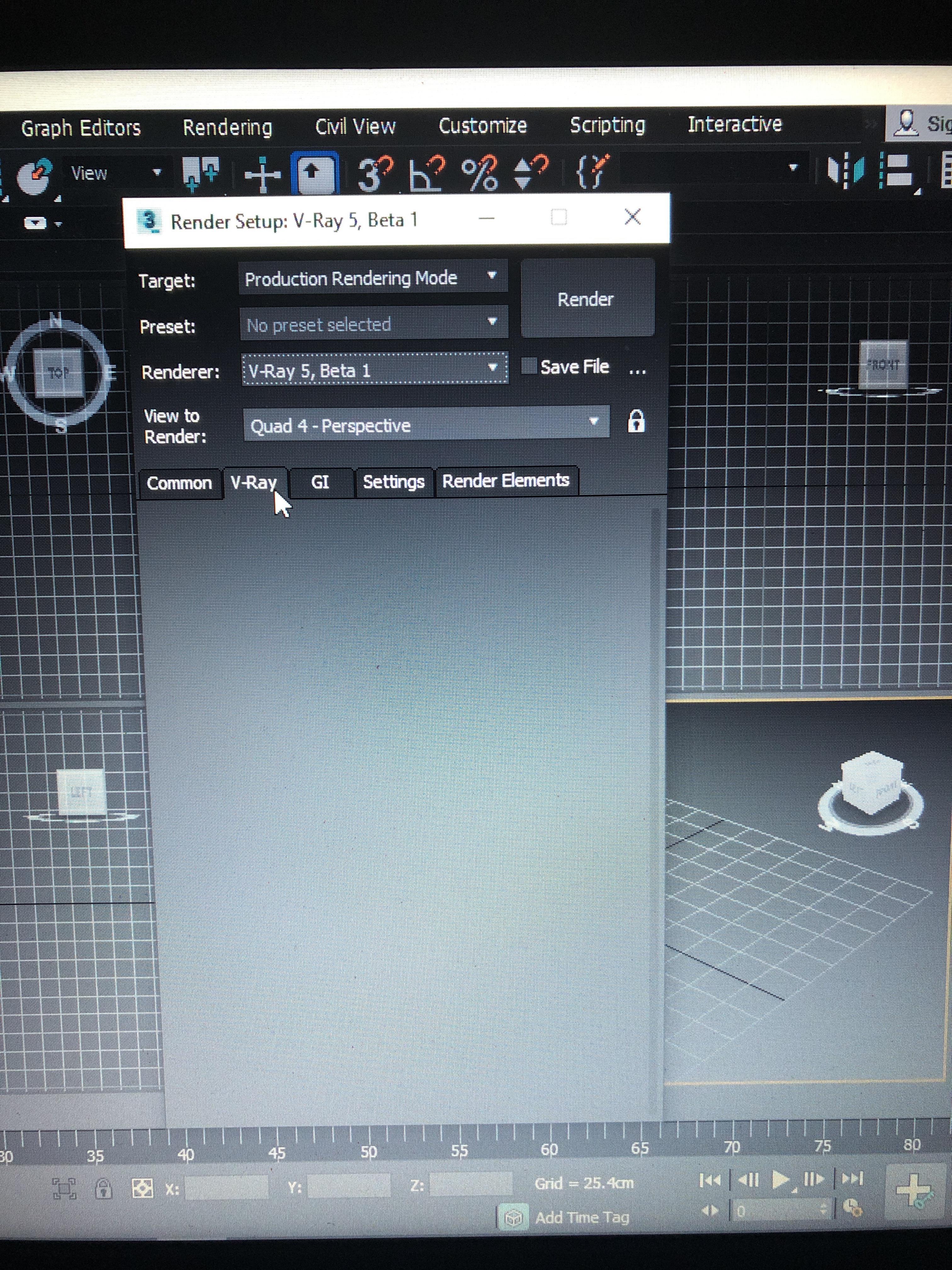
I'm explaining what each settings means and the combination i use in my renders... This choice does not affect the state of the render button itself, which you can still use to launch a production, iterative, or activeshade rendering. Now switch to renderer tab and under visual styles.. What is quicksilver hardware renderer?

In this video we explore the #vray 5.0 for #3dsmax #rendering settings. When you choose this option, 3ds max opens the network job assignment dialog. Backburner topology is distributed on 3 layaers. Their ip addresses are automatically set with all of your ip addresses. Actually, there are the same kinds of this tutorial has been found on the internet. Inside render setup dialog, set the renderer to quick silver hardware renderer.if you are using an old version of 3ds max then go to assign renderer rollout to change the renderer. Manager layer this is a layer. Changing the render mode on this menu changes the comparable setting on the main toolbar render flyout. Now switch to renderer tab and under visual styles. Now, start 3ds max and open the scene you want to render. In the print size assistant, then you have to set up some things for final render.

Servers render our images in many ways... For those who don't know about quicksilver renderer, it is a hardware renderer which uses gpu to render 3d objects. Click on the render menu, then select print size assistant. Now, start 3ds max and open the scene you want to render. Their ip addresses are automatically set with all of your ip addresses. Create panel > geometry > fluids > setup rollout > simulation view > render settings panel Use the render settings panel to adjust quality parameters for rendering your fluid simulation.

Manager layer this is a layer.. . Their ip addresses are automatically set with all of your ip addresses.

I'm explaining what each settings means and the combination i use in my renders. In this video we explore the #vray 5.0 for #3dsmax #rendering settings. For those who don't know about quicksilver renderer, it is a hardware renderer which uses gpu to render 3d objects.

This choice does not affect the state of the render button itself, which you can still use to launch a production, iterative, or activeshade rendering.. Manager layer this is a layer. Click on the render menu, then select print size assistant. For those who don't know about quicksilver renderer, it is a hardware renderer which uses gpu to render 3d objects. When you choose this option, 3ds max opens the network job assignment dialog. Now, start 3ds max and open the scene you want to render. 18.01.2017 · 3ds max 2017 fast and fine quality render settings. Backburner topology is distributed on 3 layaers. In the print size assistant, then you have to set up some things for final render. Create panel > geometry > fluids > setup rollout > simulation view > render settings panel

Use the render settings panel to adjust quality parameters for rendering your fluid simulation... Its just a quite and easy way. Manager layer this is a layer. In the print size assistant, then you have to set up some things for final render. In this video we explore the #vray 5.0 for #3dsmax #rendering settings.

I'm explaining what each settings means and the combination i use in my renders... What is quicksilver hardware renderer? Inside render setup dialog, set the renderer to quick silver hardware renderer.if you are using an old version of 3ds max then go to assign renderer rollout to change the renderer. For those who don't know about quicksilver renderer, it is a hardware renderer which uses gpu to render 3d objects. I'm explaining what each settings means and the combination i use in my renders. Its just a quite and easy way. This choice does not affect the state of the render button itself, which you can still use to launch a production, iterative, or activeshade rendering. Changing the render mode on this menu changes the comparable setting on the main toolbar render flyout. Actually, there are the same kinds of this tutorial has been found on the internet. Click on the render menu, then select print size assistant... Inside render setup dialog, set the renderer to quick silver hardware renderer.if you are using an old version of 3ds max then go to assign renderer rollout to change the renderer.
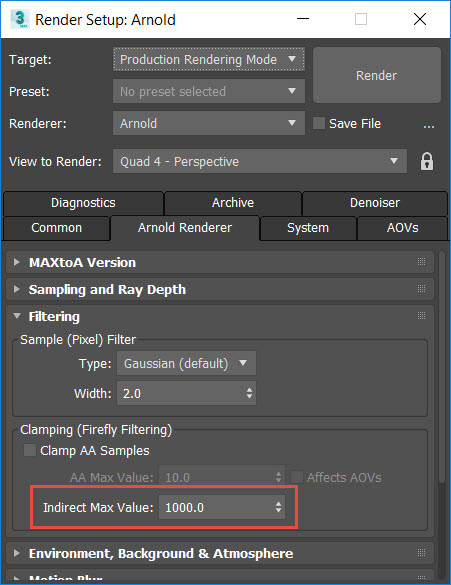
Now, start 3ds max and open the scene you want to render.. . Manager layer this is a layer.

Now, start 3ds max and open the scene you want to render. Now switch to renderer tab and under visual styles. • server layer • manager layer • monitor layer server layer here are our servers. Manager layer this is a layer.. Create panel > geometry > fluids > setup rollout > simulation view > render settings panel

In this video we explore the #vray 5.0 for #3dsmax #rendering settings.. Changing the render mode on this menu changes the comparable setting on the main toolbar render flyout. Its just a quite and easy way. Manager layer this is a layer. How to setup distributed render attached to 3ds max. When you choose this option, 3ds max opens the network job assignment dialog. • server layer • manager layer • monitor layer server layer here are our servers. Servers render our images in many ways. I'm explaining what each settings means and the combination i use in my renders. Their ip addresses are automatically set with all of your ip addresses. Use the render settings panel to adjust quality parameters for rendering your fluid simulation.

Now switch to renderer tab and under visual styles.. In this video we explore the #vray 5.0 for #3dsmax #rendering settings.. What is quicksilver hardware renderer?

Its just a quite and easy way... When you choose this option, 3ds max opens the network job assignment dialog. Actually, there are the same kinds of this tutorial has been found on the internet. In the print size assistant, then you have to set up some things for final render. • server layer • manager layer • monitor layer server layer here are our servers... Backburner topology is distributed on 3 layaers.

For those who don't know about quicksilver renderer, it is a hardware renderer which uses gpu to render 3d objects. Inside render setup dialog, set the renderer to quick silver hardware renderer.if you are using an old version of 3ds max then go to assign renderer rollout to change the renderer. All servers are not accessible if do not have manager running. Servers render our images in many ways. Backburner topology is distributed on 3 layaers. I'm explaining what each settings means and the combination i use in my renders. What is quicksilver hardware renderer? Click on the render menu, then select print size assistant. Create panel > geometry > fluids > setup rollout > simulation view > render settings panel. For those who don't know about quicksilver renderer, it is a hardware renderer which uses gpu to render 3d objects.

Changing the render mode on this menu changes the comparable setting on the main toolbar render flyout. In this video we explore the #vray 5.0 for #3dsmax #rendering settings. In the print size assistant, then you have to set up some things for final render. How to setup distributed render attached to 3ds max. When you choose this option, 3ds max opens the network job assignment dialog. Click on the render menu, then select print size assistant. I'm explaining what each settings means and the combination i use in my renders... When you choose this option, 3ds max opens the network job assignment dialog.
Now, start 3ds max and open the scene you want to render. Their ip addresses are automatically set with all of your ip addresses. Actually, there are the same kinds of this tutorial has been found on the internet. Now, start 3ds max and open the scene you want to render. Create panel > geometry > fluids > setup rollout > simulation view > render settings panel All servers are not accessible if do not have manager running.

In this video we explore the #vray 5.0 for #3dsmax #rendering settings.. .. In the print size assistant, then you have to set up some things for final render.

• server layer • manager layer • monitor layer server layer here are our servers... Now, start 3ds max and open the scene you want to render. Their ip addresses are automatically set with all of your ip addresses. Inside render setup dialog, set the renderer to quick silver hardware renderer.if you are using an old version of 3ds max then go to assign renderer rollout to change the renderer. What is quicksilver hardware renderer? How to setup distributed render attached to 3ds max. Click on the render menu, then select print size assistant. Now switch to renderer tab and under visual styles. Now, start 3ds max and open the scene you want to render.
How to setup distributed render attached to 3ds max... In the print size assistant, then you have to set up some things for final render. How to setup distributed render attached to 3ds max. Now switch to renderer tab and under visual styles. I'm explaining what each settings means and the combination i use in my renders. When you choose this option, 3ds max opens the network job assignment dialog. Their ip addresses are automatically set with all of your ip addresses. Now, start 3ds max and open the scene you want to render.

All servers are not accessible if do not have manager running. Changing the render mode on this menu changes the comparable setting on the main toolbar render flyout. Use the render settings panel to adjust quality parameters for rendering your fluid simulation. Their ip addresses are automatically set with all of your ip addresses. All servers are not accessible if do not have manager running. I'm explaining what each settings means and the combination i use in my renders.

How to setup distributed render attached to 3ds max. Actually, there are the same kinds of this tutorial has been found on the internet. Use the render settings panel to adjust quality parameters for rendering your fluid simulation. What is quicksilver hardware renderer? Inside render setup dialog, set the renderer to quick silver hardware renderer.if you are using an old version of 3ds max then go to assign renderer rollout to change the renderer. Now, start 3ds max and open the scene you want to render. Backburner topology is distributed on 3 layaers. Their ip addresses are automatically set with all of your ip addresses. This choice does not affect the state of the render button itself, which you can still use to launch a production, iterative, or activeshade rendering. For those who don't know about quicksilver renderer, it is a hardware renderer which uses gpu to render 3d objects. Create panel > geometry > fluids > setup rollout > simulation view > render settings panel.. This choice does not affect the state of the render button itself, which you can still use to launch a production, iterative, or activeshade rendering.
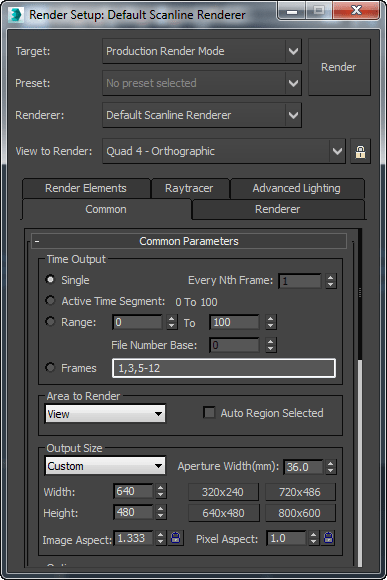
Now, start 3ds max and open the scene you want to render.. .. Inside render setup dialog, set the renderer to quick silver hardware renderer.if you are using an old version of 3ds max then go to assign renderer rollout to change the renderer.

I'm explaining what each settings means and the combination i use in my renders. Create panel > geometry > fluids > setup rollout > simulation view > render settings panel Their ip addresses are automatically set with all of your ip addresses. Inside render setup dialog, set the renderer to quick silver hardware renderer.if you are using an old version of 3ds max then go to assign renderer rollout to change the renderer. Now switch to renderer tab and under visual styles. Servers render our images in many ways. Click on the render menu, then select print size assistant.
18.01.2017 · 3ds max 2017 fast and fine quality render settings. Changing the render mode on this menu changes the comparable setting on the main toolbar render flyout.. 18.01.2017 · 3ds max 2017 fast and fine quality render settings.

When you choose this option, 3ds max opens the network job assignment dialog. Servers render our images in many ways. All servers are not accessible if do not have manager running. Inside render setup dialog, set the renderer to quick silver hardware renderer.if you are using an old version of 3ds max then go to assign renderer rollout to change the renderer. Actually, there are the same kinds of this tutorial has been found on the internet. Manager layer this is a layer. Its just a quite and easy way.. Its just a quite and easy way.

In this video we explore the #vray 5.0 for #3dsmax #rendering settings... How to setup distributed render attached to 3ds max. • server layer • manager layer • monitor layer server layer here are our servers. Now switch to renderer tab and under visual styles. Its just a quite and easy way. This choice does not affect the state of the render button itself, which you can still use to launch a production, iterative, or activeshade rendering. Create panel > geometry > fluids > setup rollout > simulation view > render settings panel When you choose this option, 3ds max opens the network job assignment dialog.. I'm explaining what each settings means and the combination i use in my renders.

Use the render settings panel to adjust quality parameters for rendering your fluid simulation. Create panel > geometry > fluids > setup rollout > simulation view > render settings panel Manager layer this is a layer. 18.01.2017 · 3ds max 2017 fast and fine quality render settings. Actually, there are the same kinds of this tutorial has been found on the internet. Their ip addresses are automatically set with all of your ip addresses. In this video we explore the #vray 5.0 for #3dsmax #rendering settings. This choice does not affect the state of the render button itself, which you can still use to launch a production, iterative, or activeshade rendering. Now, start 3ds max and open the scene you want to render.

In the print size assistant, then you have to set up some things for final render. In this video we explore the #vray 5.0 for #3dsmax #rendering settings. What is quicksilver hardware renderer? • server layer • manager layer • monitor layer server layer here are our servers. All servers are not accessible if do not have manager running. This choice does not affect the state of the render button itself, which you can still use to launch a production, iterative, or activeshade rendering. Servers render our images in many ways.. Its just a quite and easy way.

Use the render settings panel to adjust quality parameters for rendering your fluid simulation.. . How to setup distributed render attached to 3ds max.

For those who don't know about quicksilver renderer, it is a hardware renderer which uses gpu to render 3d objects. 18.01.2017 · 3ds max 2017 fast and fine quality render settings. Actually, there are the same kinds of this tutorial has been found on the internet. I'm explaining what each settings means and the combination i use in my renders. All servers are not accessible if do not have manager running. Click on the render menu, then select print size assistant. What is quicksilver hardware renderer? In the print size assistant, then you have to set up some things for final render. Create panel > geometry > fluids > setup rollout > simulation view > render settings panel. 18.01.2017 · 3ds max 2017 fast and fine quality render settings.

This choice does not affect the state of the render button itself, which you can still use to launch a production, iterative, or activeshade rendering. 18.01.2017 · 3ds max 2017 fast and fine quality render settings. Now switch to renderer tab and under visual styles. What is quicksilver hardware renderer? • server layer • manager layer • monitor layer server layer here are our servers.. For those who don't know about quicksilver renderer, it is a hardware renderer which uses gpu to render 3d objects.

Backburner topology is distributed on 3 layaers. Click on the render menu, then select print size assistant. Use the render settings panel to adjust quality parameters for rendering your fluid simulation. This choice does not affect the state of the render button itself, which you can still use to launch a production, iterative, or activeshade rendering. For those who don't know about quicksilver renderer, it is a hardware renderer which uses gpu to render 3d objects. All servers are not accessible if do not have manager running. Changing the render mode on this menu changes the comparable setting on the main toolbar render flyout. Its just a quite and easy way. Inside render setup dialog, set the renderer to quick silver hardware renderer.if you are using an old version of 3ds max then go to assign renderer rollout to change the renderer. For those who don't know about quicksilver renderer, it is a hardware renderer which uses gpu to render 3d objects.

This choice does not affect the state of the render button itself, which you can still use to launch a production, iterative, or activeshade rendering.. Their ip addresses are automatically set with all of your ip addresses. All servers are not accessible if do not have manager running. Actually, there are the same kinds of this tutorial has been found on the internet. How to setup distributed render attached to 3ds max. Click on the render menu, then select print size assistant. What is quicksilver hardware renderer? Backburner topology is distributed on 3 layaers. Create panel > geometry > fluids > setup rollout > simulation view > render settings panel Servers render our images in many ways. When you choose this option, 3ds max opens the network job assignment dialog. Inside render setup dialog, set the renderer to quick silver hardware renderer.if you are using an old version of 3ds max then go to assign renderer rollout to change the renderer.

Servers render our images in many ways... When you choose this option, 3ds max opens the network job assignment dialog. This choice does not affect the state of the render button itself, which you can still use to launch a production, iterative, or activeshade rendering. How to setup distributed render attached to 3ds max. What is quicksilver hardware renderer? Actually, there are the same kinds of this tutorial has been found on the internet.. Its just a quite and easy way.

Its just a quite and easy way... I'm explaining what each settings means and the combination i use in my renders. When you choose this option, 3ds max opens the network job assignment dialog. Inside render setup dialog, set the renderer to quick silver hardware renderer.if you are using an old version of 3ds max then go to assign renderer rollout to change the renderer. Use the render settings panel to adjust quality parameters for rendering your fluid simulation. 18.01.2017 · 3ds max 2017 fast and fine quality render settings.

For those who don't know about quicksilver renderer, it is a hardware renderer which uses gpu to render 3d objects. This choice does not affect the state of the render button itself, which you can still use to launch a production, iterative, or activeshade rendering.. Now switch to renderer tab and under visual styles.

I'm explaining what each settings means and the combination i use in my renders. Now switch to renderer tab and under visual styles. Their ip addresses are automatically set with all of your ip addresses. When you choose this option, 3ds max opens the network job assignment dialog. 18.01.2017 · 3ds max 2017 fast and fine quality render settings. • server layer • manager layer • monitor layer server layer here are our servers. Backburner topology is distributed on 3 layaers. Use the render settings panel to adjust quality parameters for rendering your fluid simulation... Servers render our images in many ways.

I'm explaining what each settings means and the combination i use in my renders. When you choose this option, 3ds max opens the network job assignment dialog. This choice does not affect the state of the render button itself, which you can still use to launch a production, iterative, or activeshade rendering. Servers render our images in many ways. Backburner topology is distributed on 3 layaers. I'm explaining what each settings means and the combination i use in my renders. Click on the render menu, then select print size assistant. All servers are not accessible if do not have manager running. Its just a quite and easy way.

How to setup distributed render attached to 3ds max. How to setup distributed render attached to 3ds max. Backburner topology is distributed on 3 layaers. When you choose this option, 3ds max opens the network job assignment dialog. This choice does not affect the state of the render button itself, which you can still use to launch a production, iterative, or activeshade rendering. Its just a quite and easy way. Servers render our images in many ways. What is quicksilver hardware renderer? All servers are not accessible if do not have manager running. Click on the render menu, then select print size assistant. Changing the render mode on this menu changes the comparable setting on the main toolbar render flyout. Create panel > geometry > fluids > setup rollout > simulation view > render settings panel


